Unicook

Installing your Airis stove guard

Preparing for installation

Unboxing the Airis stove guard

Play

Inside the box:

  1. Installation and user manual
  2. AA batteries for the Multisensor
  3. Rubber grommet and plastic earth connector
  4. Multisensor rear casing (black)
  5. Multisensor front casing (white)
  6. Power Control Unit (PCU)
  7. Cleaning wipe
  8. Warranty registration card

Installing your Airis stove guard on a wall/splashback

This installation guide is intended to offer supplementary guidance for installers. Please refer to the manufacturer's user/installation guide included with the product.

Follow our video installation guide:

Play

Installing the Multisensor

Before fitting the Multisensor, cover the hob surface to protect it against damage in case you inadvertently drop something during installation.

Where the wall or splashback is completely flat and non-porous (e.g. glass or stainless steel), the supplied VHB tape provides a very strong fixing. However, if the surface is tiled and the tiles are even slightly uneven, the tape may not adhere securely. Use a straight edge to check that the surface is completely flat.

For surfaces that are not fully flat, or are not solid (e.g. painted or plasterboard walls) the multisensor bracket must be fixed using screws.

Step 1

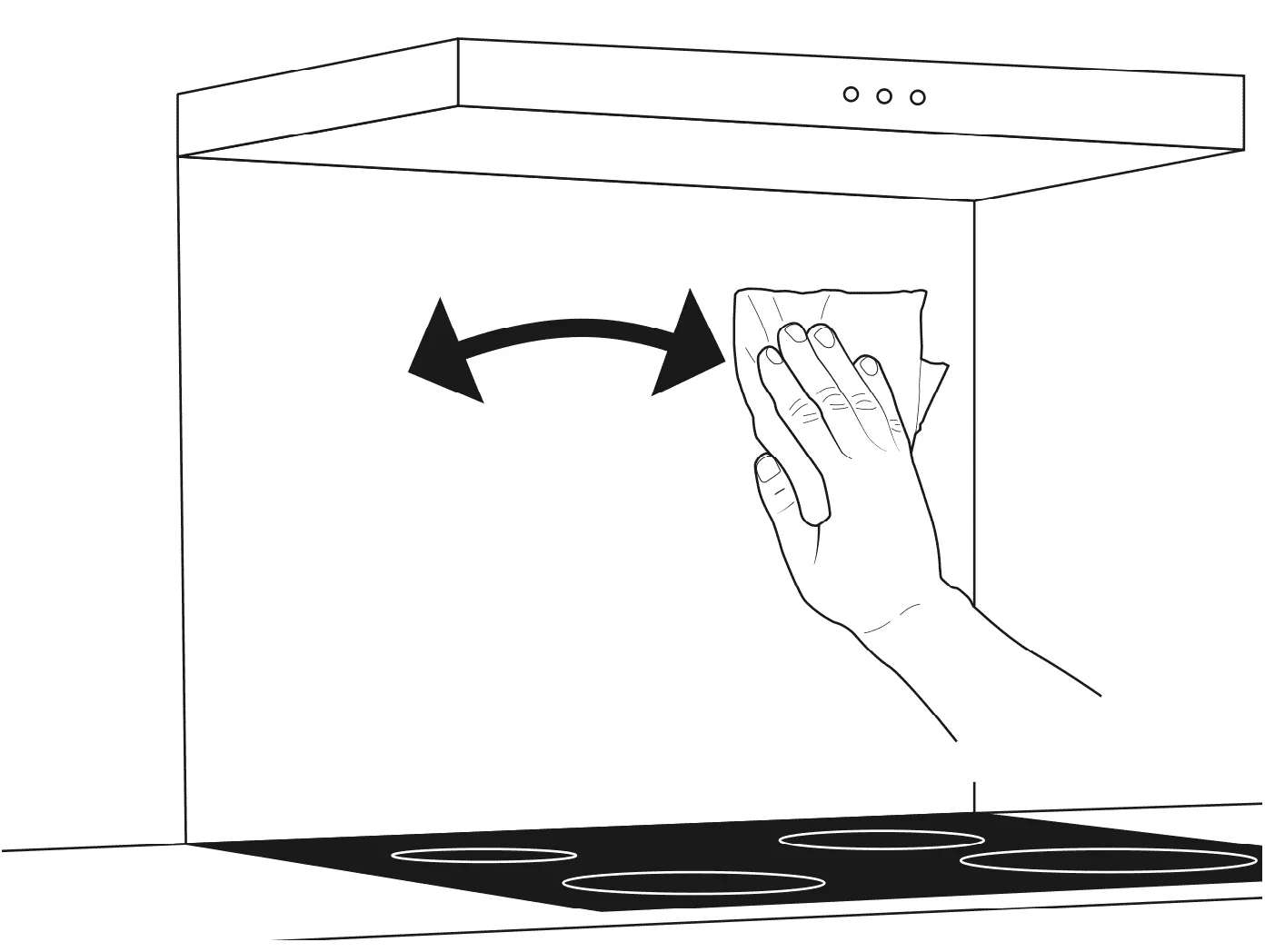
  • Ensure that the wall/splashback that the Multisensor will be mounted on is clean and flat. Use the supplied cleaning wipe to remove any dirt and grease from the wall.
Airis multisensor mounting: clean the splashback
  • Mark the correct mounting height for the Multisensor on the wall/splashback:
Cooker widthMultisensor height above the hob
Up to 60cm wide45–55cm above the hob surface
60–90cm wide55–65cm above the hob surface

The Multisensor must be mounted in the centre line of the cooker to provide optimal sensing of all cooking surfaces.

Step 2

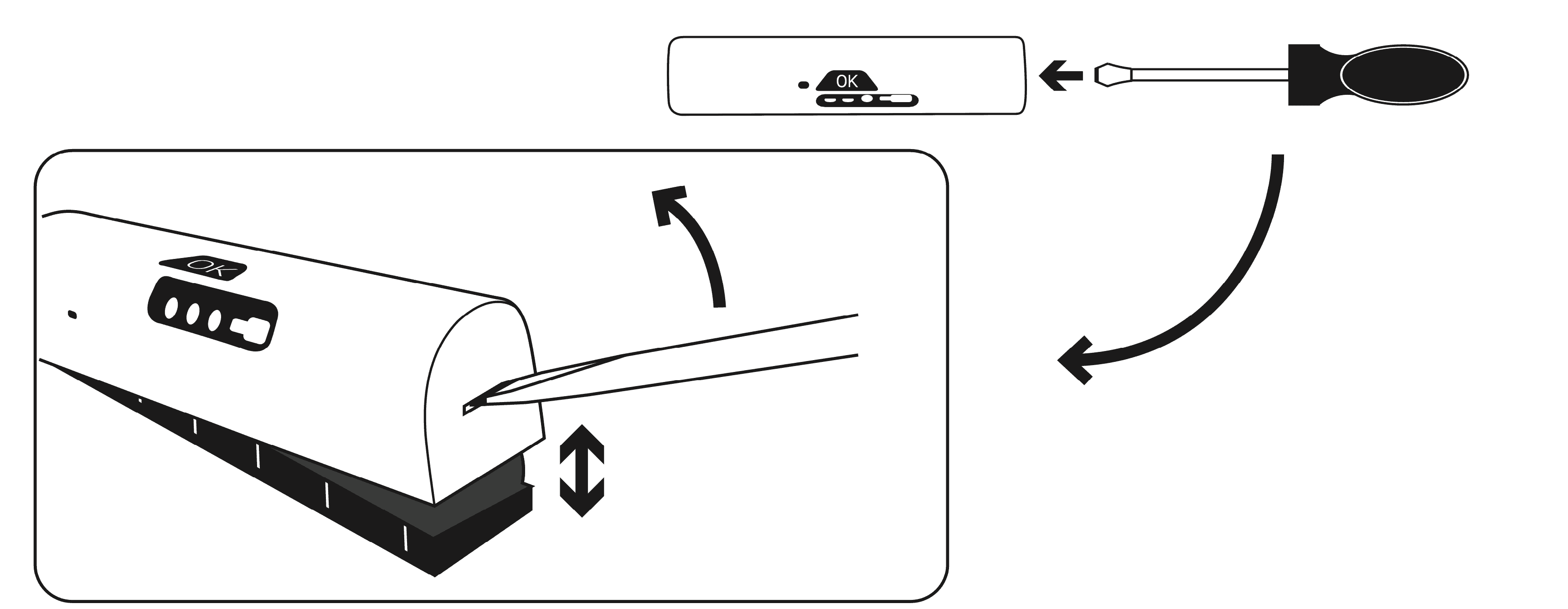
  • Separate the front casing from the rear casing: use a flat-head screwdriver or similar tool and press into the slot on either side of the casing before prying it apart.
Airis multisensor mounting: separate the front casing with a screwdriver

Step 3

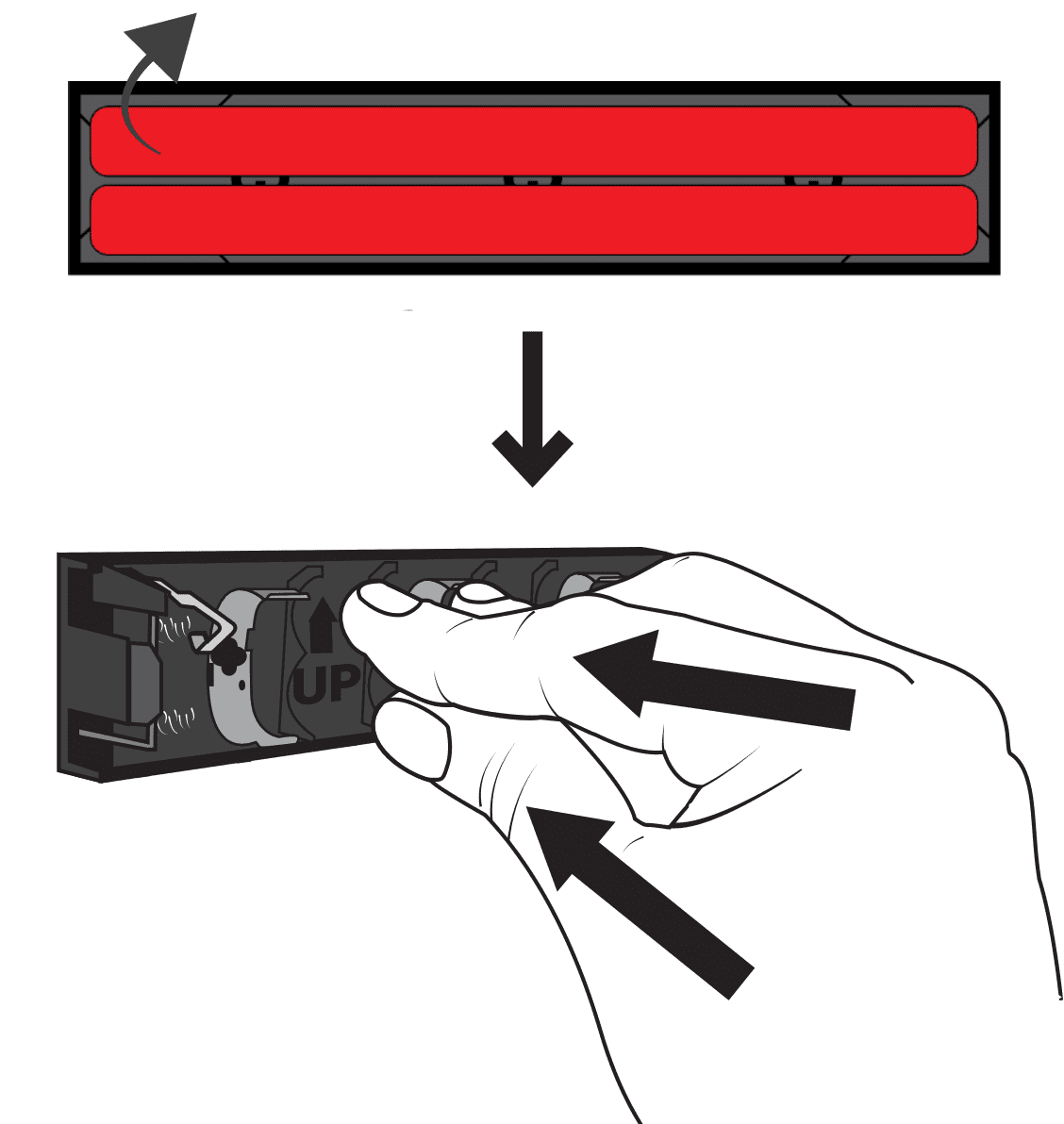
  • Peel away the red protective backing from the high bond tape on the rear of the rear casing. Use the arrows on the front side of the rear casing to check correct orientation. Press the rear sensor firmly against the wall at the correct height.
Airis multisensor mounting: peel off the backing from the VHB tape

Step 4

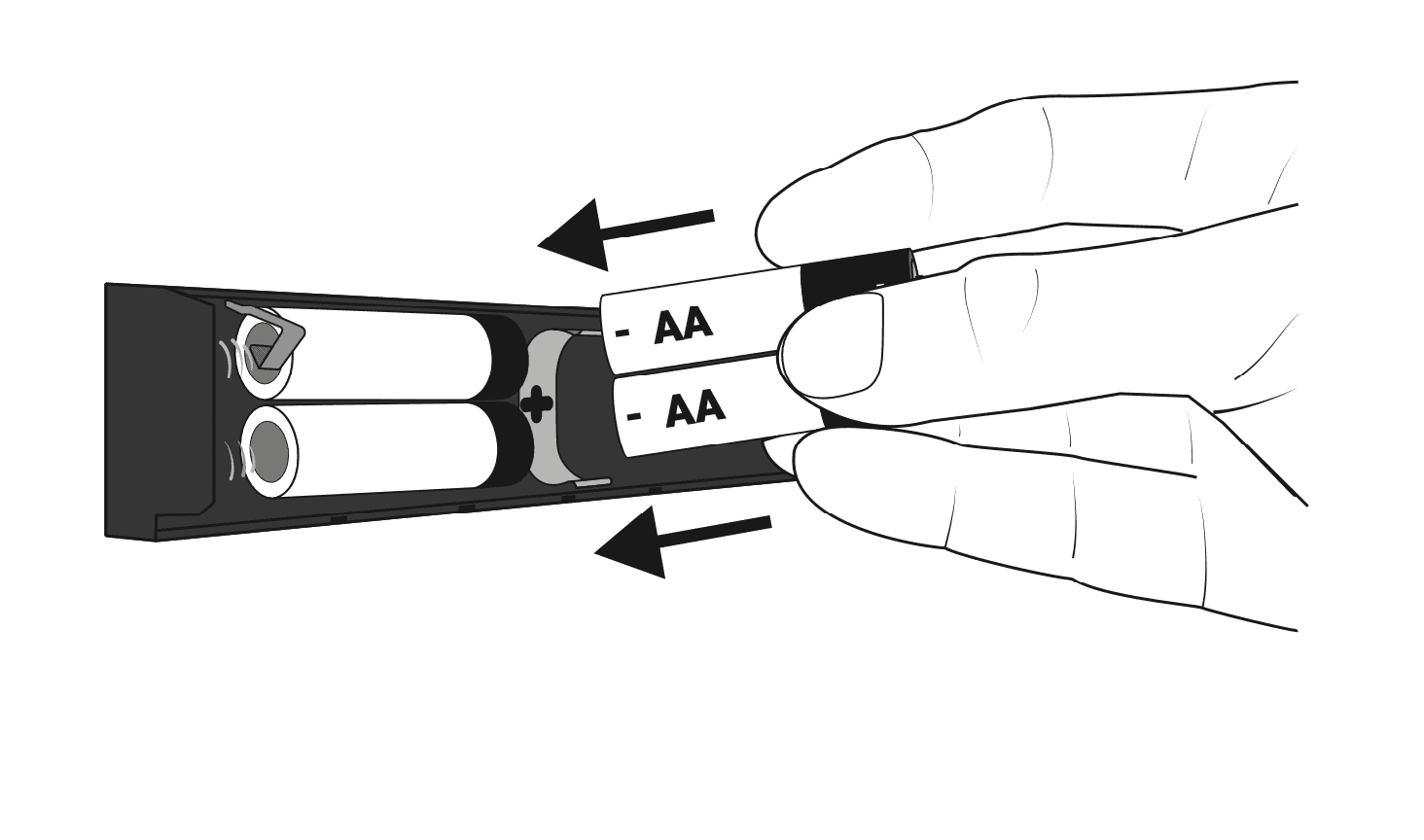
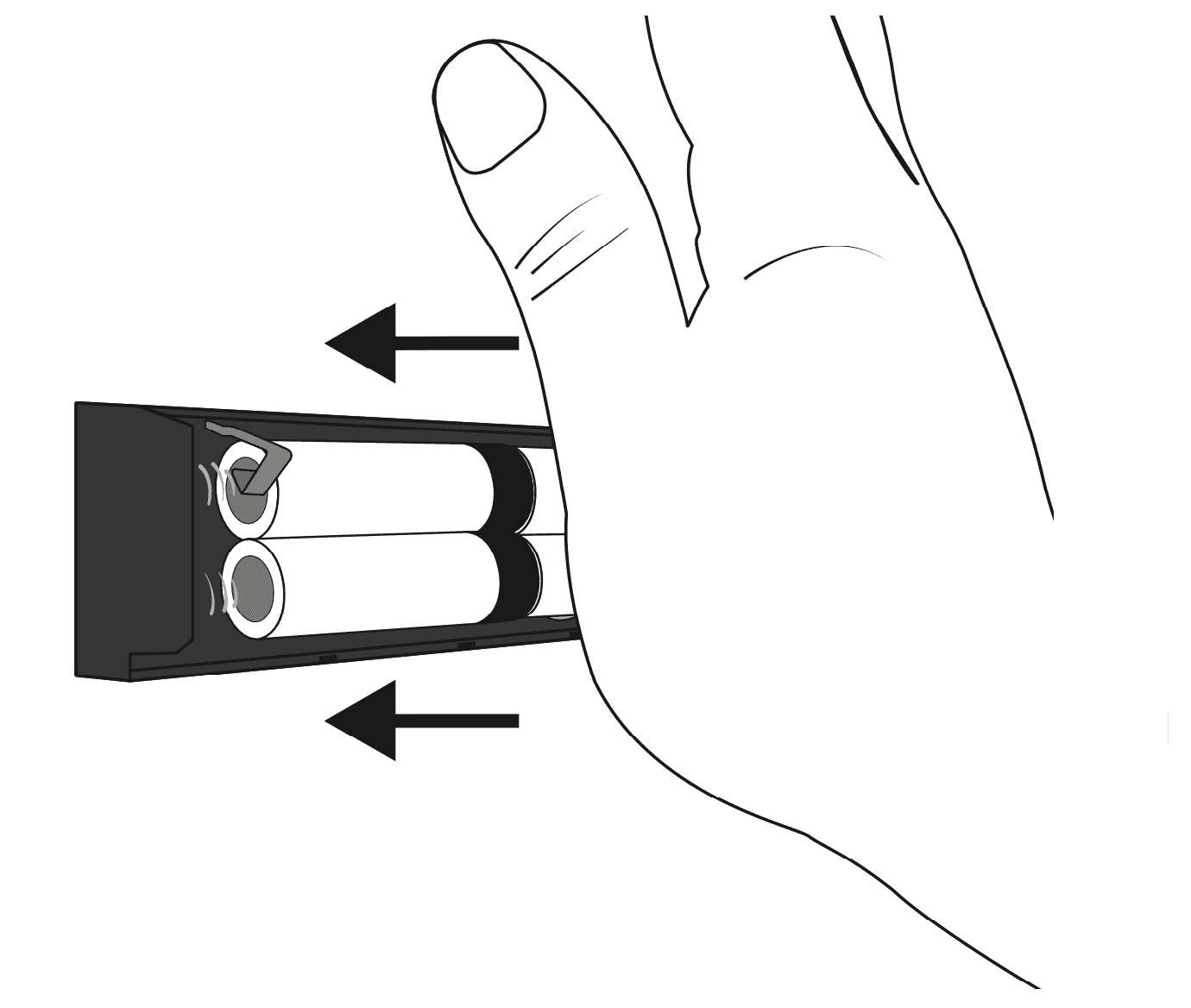
  • Place the batteries into the rear casing two at a time, from left to right.
Airis multisensor mounting: insert the AA batteries

Warning: Ensure all batteries are correctly oriented. If a battery is reversed, the resulting leak of chemicals from the battery will damage the Multisensor beyond repair.

Step 5

  • Once all the batteries are in place, press firmly on the casing with the heel of your palm to exert pressure on the high bond tape and ensure effective contact with the mounting surface.
Airis multisensor mounting: press firmly to ensure the tape adheres to the wall

Step 6

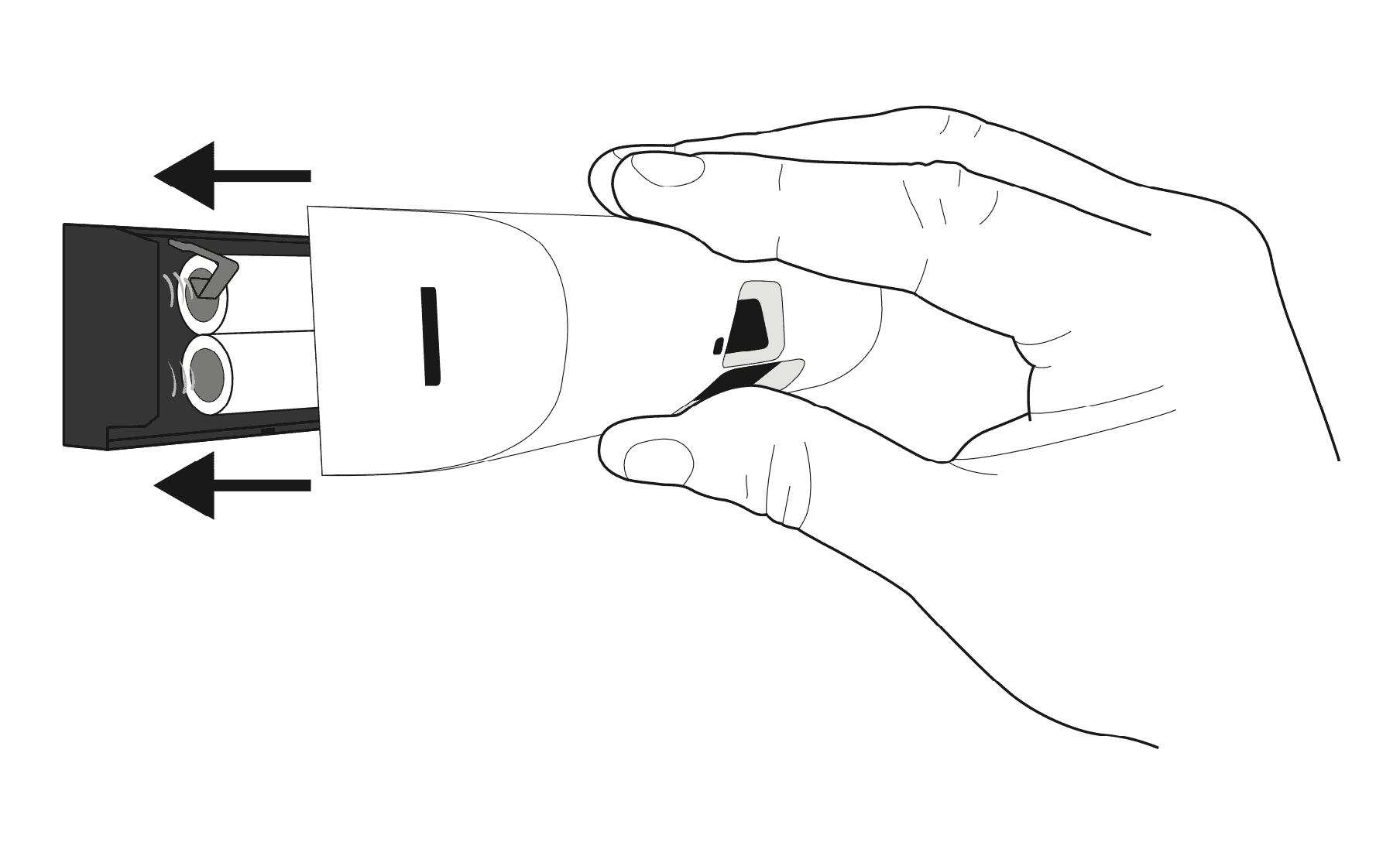
  • Insert the remaining batteries into the front casing.
  • Carefully fit the Multisensor front casing onto the rear casing so that it clicks into place on both sides.
Airis multisensor mounting: carefully click the front casing into place

Installing the Power Control Unit (PCU)

Note: All electrical connections must be carried out by a qualified electrician.

Step 1

  • Find a suitable location for the PCU. Suggested positions are:
  • Where a hob is located above a built-in oven, the PCU can be mounted behind the oven.
  • Under the cooker plinth.
  • In a cupboard adjacent to the cooker.
  • For a free-standing cooker, the PCU can be mounted near the floor behind the cooker.

Do not install the PCU in a place where it will be exposed to moisture or excessive heat.

Step 2

  • Open the PCU casing by removing the four screws at each corner of the unit.

Step 3

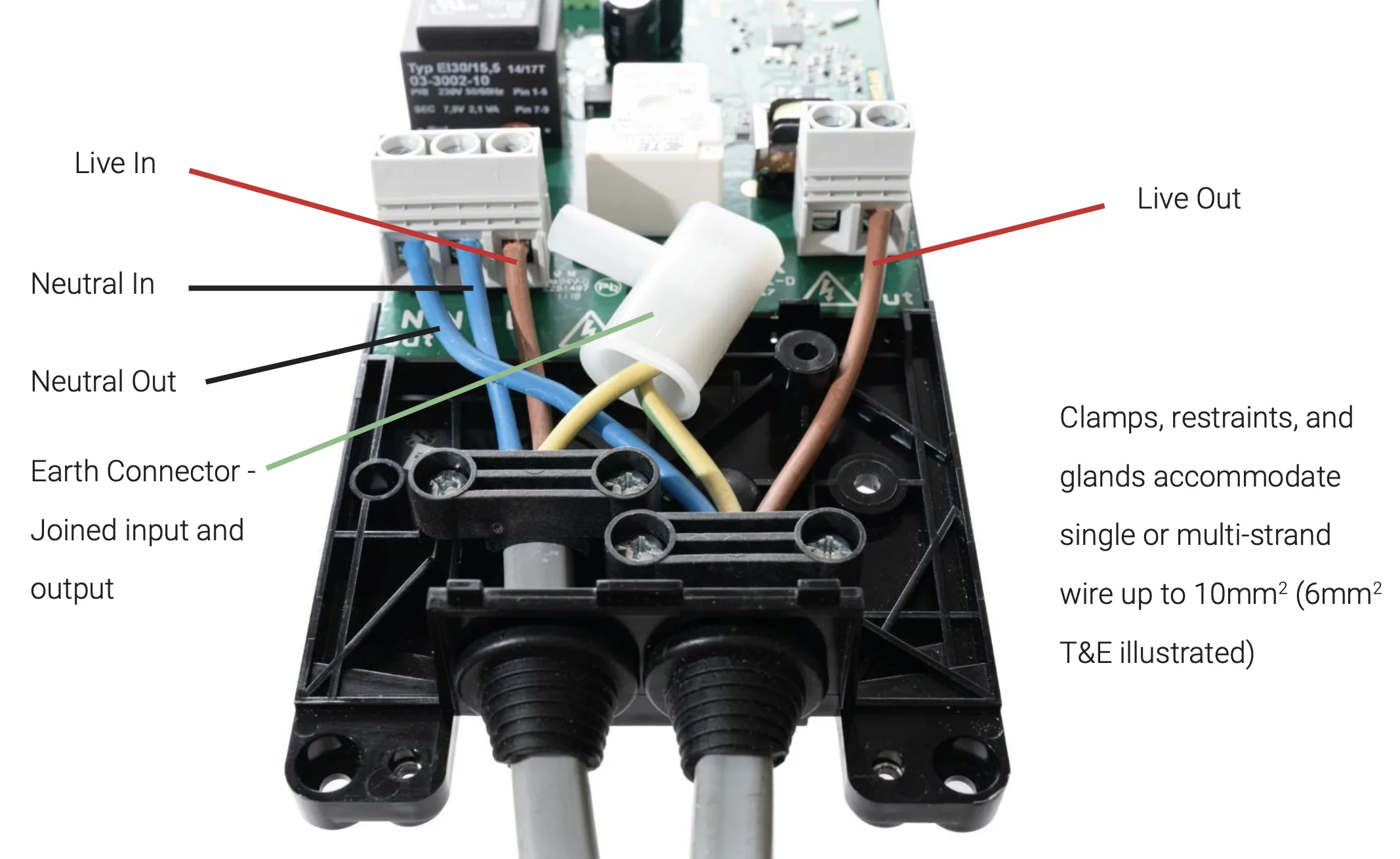
  • Wire the PCU as shown in the diagram below:
Airis PCU wiring diagram

Step 4

  • Replace the PCU casing and mount the unit in the desired position.

Have a different question, or need more information?

Get in touch with Unicook on +33 (0)2 22 44 44 97, or select one of the options below.

Email Us
5-star rating

Rated 5 stars by our customers

Unicook certifications

We’ll call you back!

If you have any questions or if you need advice, we’ll be happy to help.